Your staff schedule,built from your bookings.
MotoFMS turns reservations into staff shifts: trip starts, deliveries, pickups, inspections, cleaning, prep and repairs, with forms attached and daily auto-publishing.
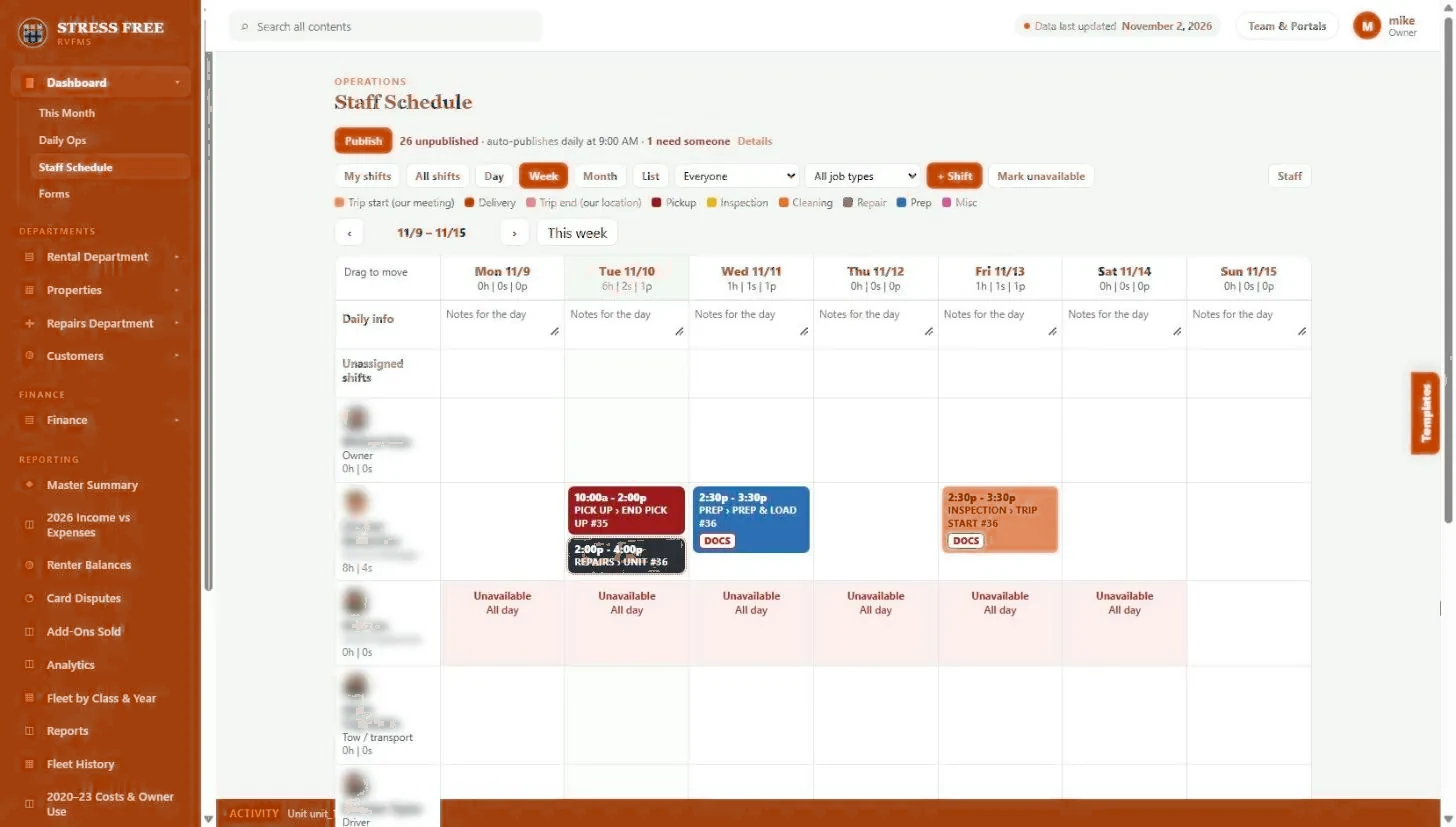
Every booking creates work: prep, delivery, a trip-start walkthrough, a pickup, cleaning, maybe a repair. Most operators rebuild that work by hand in a separate scheduling app, then text the details to whoever is on shift and hope nothing changed.
MotoFMS reads the reservation and builds the shifts for you, by job type: trip start, delivery, trip end, pickup, inspection, cleaning, repair and prep. Shifts carry the unit and booking details and the form that needs to be filled out. The schedule publishes on its own every morning, and anything without a person assigned is flagged as needing someone.
Capabilities
- Shifts created from reservations, by job type
- Day, week, month and list views, plus My shifts for each staff member
- Forms attached to the shift, so the job and the paperwork travel together
- Daily auto-publish, with unassigned shifts flagged
- Time off and unavailable days marked on the same grid
- Shift templates for recurring work
- Delivery map and routing on delivery shifts
- Incomplete items flagged until someone finishes them
- Information filled in automatically from the booking and the unit
What you get back
One less app
No separate scheduling subscription that has to be kept in sync with bookings.
Nothing missed
If a booking needs a delivery or an inspection, the shift exists. Unstaffed work is visible before the day starts.
Clear accountability
Every job has a person, a time and a form, so you know what was done and by whom.
Staff scheduling and tasks: FAQ
Do I have to create shifts by hand?
No. MotoFMS creates shifts from reservations. You can still add, move or edit shifts, and use templates for recurring work.
Can staff see only their own work?
Yes. My shifts shows each person their own schedule, with the booking details and forms they need.
Can staff mark themselves unavailable?
Unavailable days are shown on the schedule so shifts are not assigned to someone who is off.
See it with your own fleet.
We will walk through staff scheduling and tasks using your units, your channels and the way you already work.